
A Guide to Designing User-Friendly Website Forms
Website forms serve purposes such as enquiries, account registration and purchases. Complicated forms can make visitors abandon an action before finishing.
Reduce the Number of Fields
Ask only for information you need. More fields create more effort and can increase the chance of abandonment.
Clear Labels
Give each field a clear label explaining the required information to avoid confusion.
Helpful Error Feedback
When an error occurs, clearly identify the affected field and explain how to fix it, rather than showing a confusing generic message.
Responsive Form Design
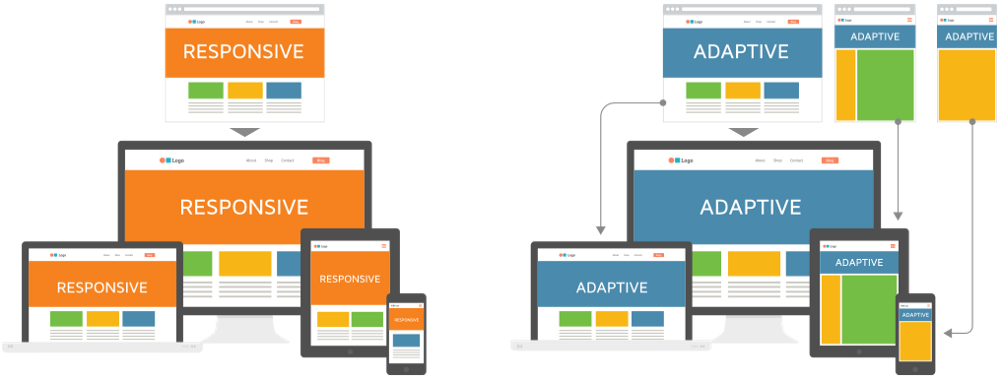
Make forms easy to complete on mobile, with appropriately sized touch inputs, following responsive web design.
Form Data Security
Forms collecting sensitive information need appropriate cybersecurity measures to protect user privacy.
User-friendly forms contribute to improved website conversion rates and a more positive overall experience. Rekaweb gives form design close attention in each website project to support a smooth user journey.
Autofill and Additional Convenience
Use suitable HTML attributes to support browser autofill, so people do not need to retype information already saved on their devices. Small conveniences can reduce completion time and support form submissions.
Conclusion
Understanding and applying these principles helps businesses build effective, competitive websites in today’s digital market. Every design decision affects user experience, brand credibility and business outcomes. Businesses that plan carefully, follow sound industry practices and keep improving their websites around user needs are better placed to grow online. If you need professional help creating a website suited to your business, the team at Rekaweb can support you from planning to launch, with attention to quality, speed and long-term business outcomes.